Turtlestitch Mandala

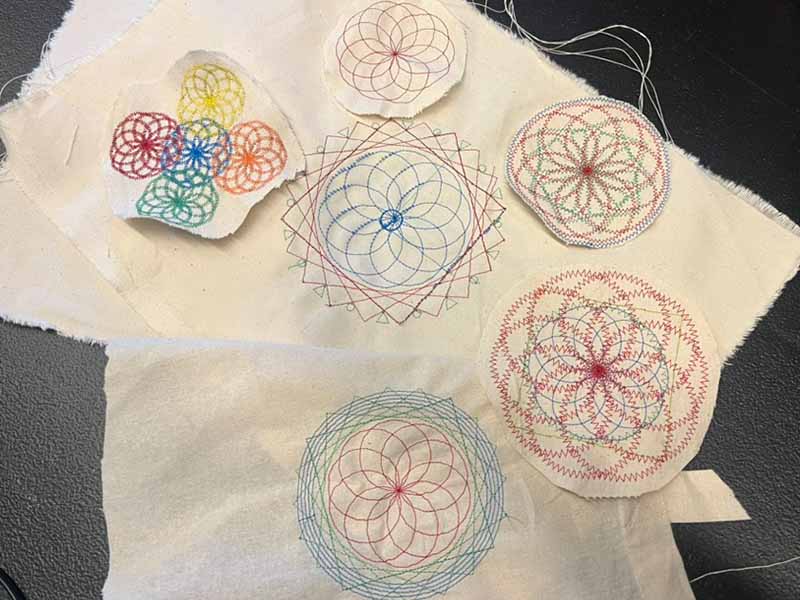
Use the code to create a mandala with the embroidery machine.

Age
7+ yrs
Time
30–60 min
PDF

What do you need?

Materials

  • Sturdy fabric
  • Embroidery thread
  • Stabiliser

Tools

  • Embroidery machine
  • Laptop
  • Fabric scissors

Steps

1

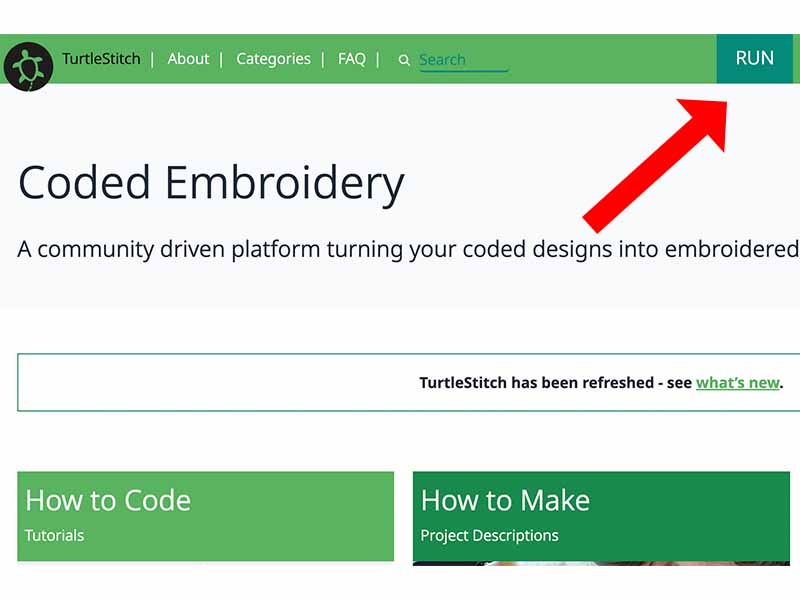
Open Turtlestitch

  • Open a browser and go to www.turtlestitch.org
  • Click the ‘run’ button to start Turtlestitch
2

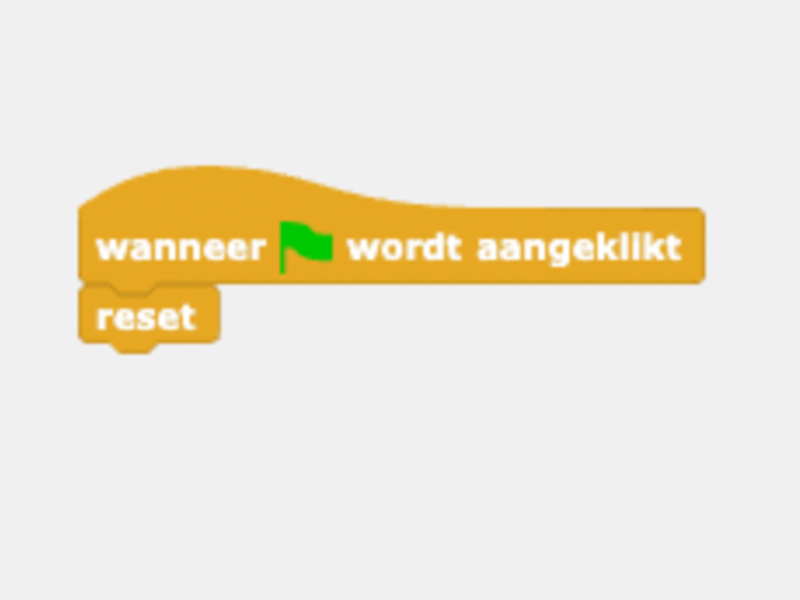
Flag / Reset

  • Always start your programme with the flag block, followed by the reset block.
3

Drawing a line

  • Good to knowDon’t use the ‘take steps’ block with a number that’s too high. The stitches will then be too large to work properly.
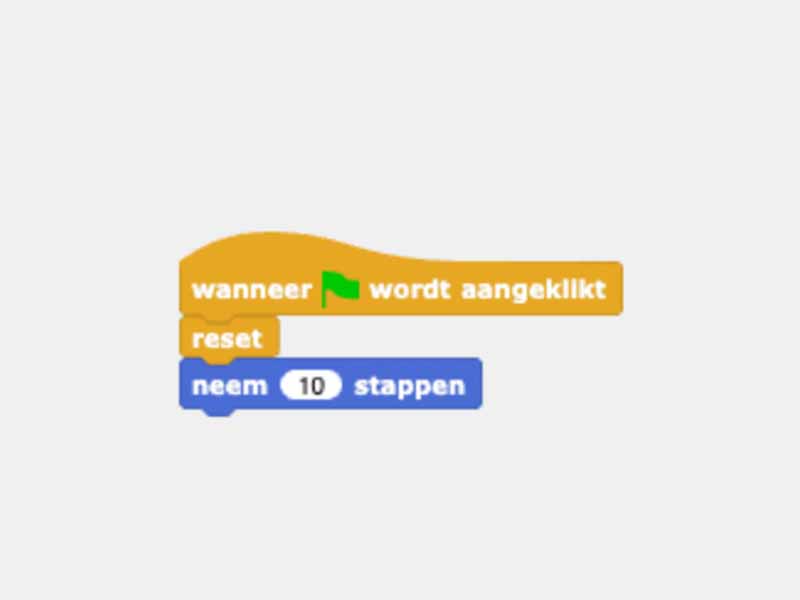
  • To draw a line, use the ‘take steps’ block.
  • In 10 steps, the needle moves 2 mm and then makes a stitch.
  • By using the ‘repeat’ block together with the ‘take steps’ block, you can embroider a longer line.
4

Making a square

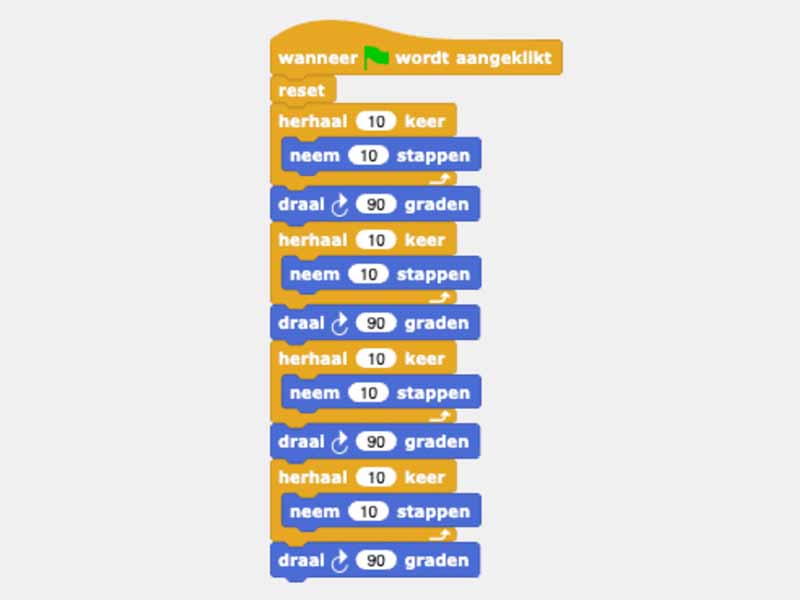
  • By using the ‘rotate’ block, you can create angles. A right angle is 90 degrees.
  • Draw a square by connecting four lines and corners in sequence.
  • You’ll notice you’re repeating yourself a lot. By using the ‘repeat’ block cleverly, you can achieve the same result with fewer blocks.
5

Making a circle

  • Good to knowBelow the sample design, you can see how big your project will be. Make sure it doesn’t exceed the size that the embroidery machine can handle.
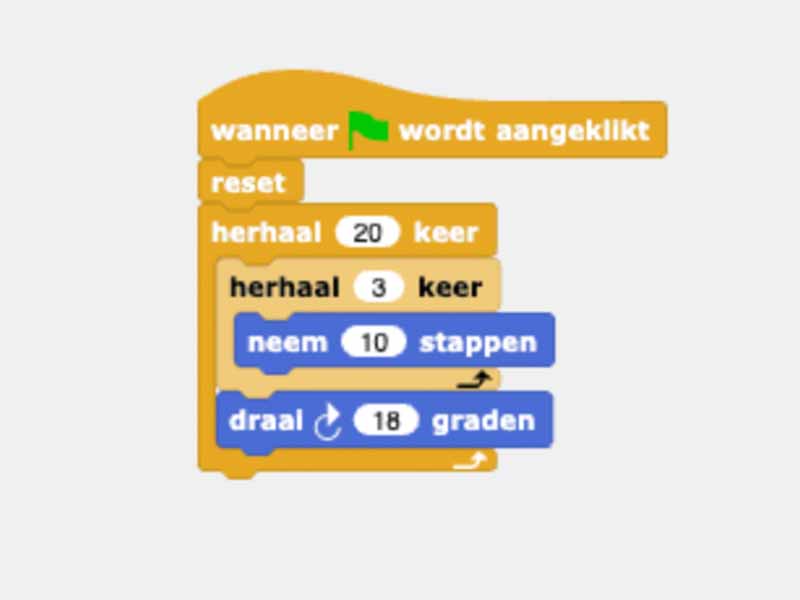
  • By changing the values in your code, you can turn the square into a circle.
6

Adjust stitch and colour

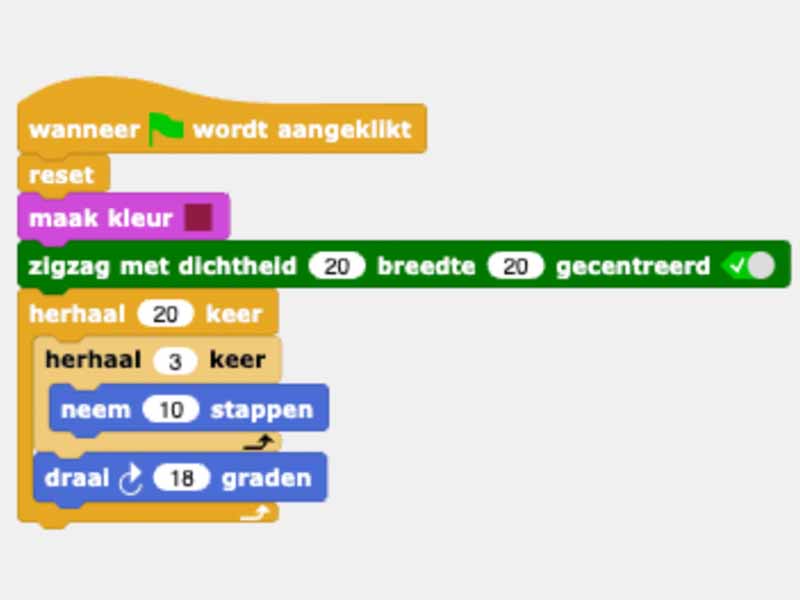
  • Using the dark green ‘embroidery’ blocks, you can adjust the colour and type of stitch.
7

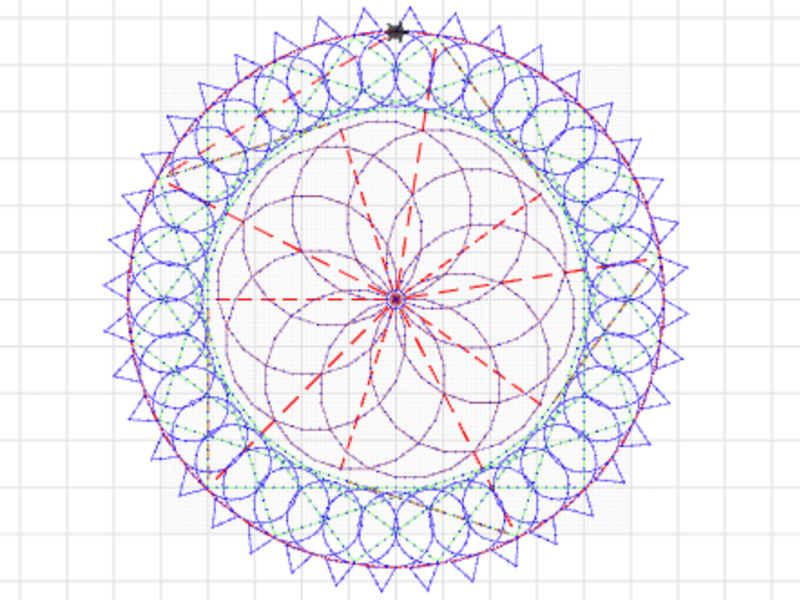
Making a mandala

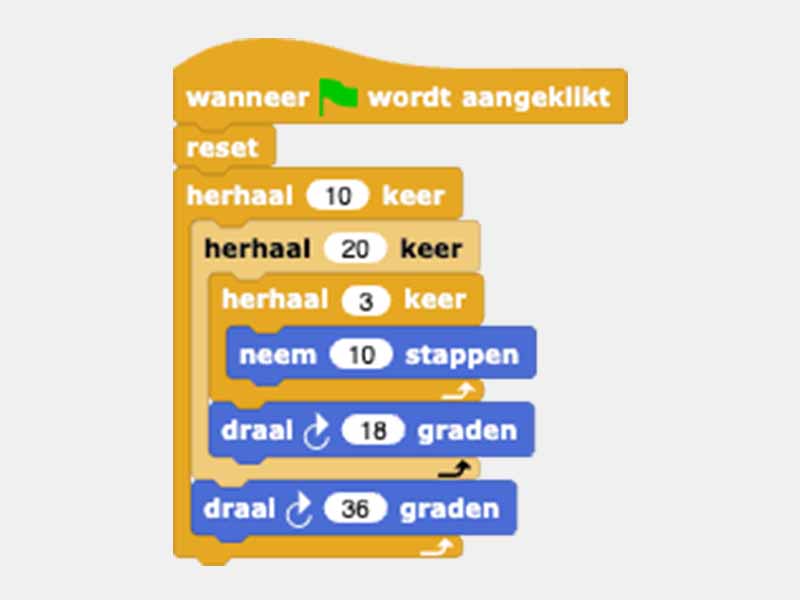
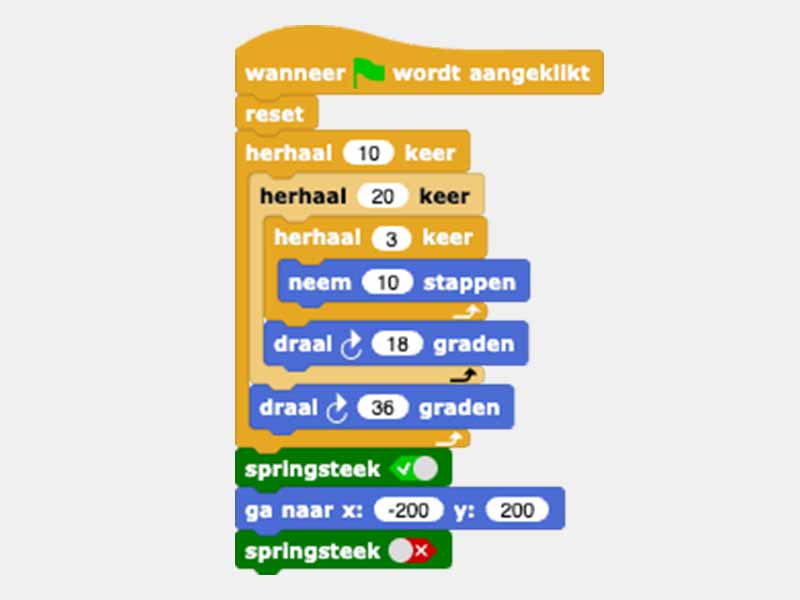
  • By repeating several circles at an angle, you can create a mandala.
8

Adding a spring stitch

  • Sometimes you need to move the needle without making a stitch. To do this, use the ‘jump stitch’ block.
  • Set the machine to ‘jump stitch’ to ensure that no embroidery takes place.
  • Then turn off the ‘spring stitch’ function to continue embroidering.
9

Finishing the mandala

  • Combine all the techniques you’ve learnt to finish your mandala.
10

Export

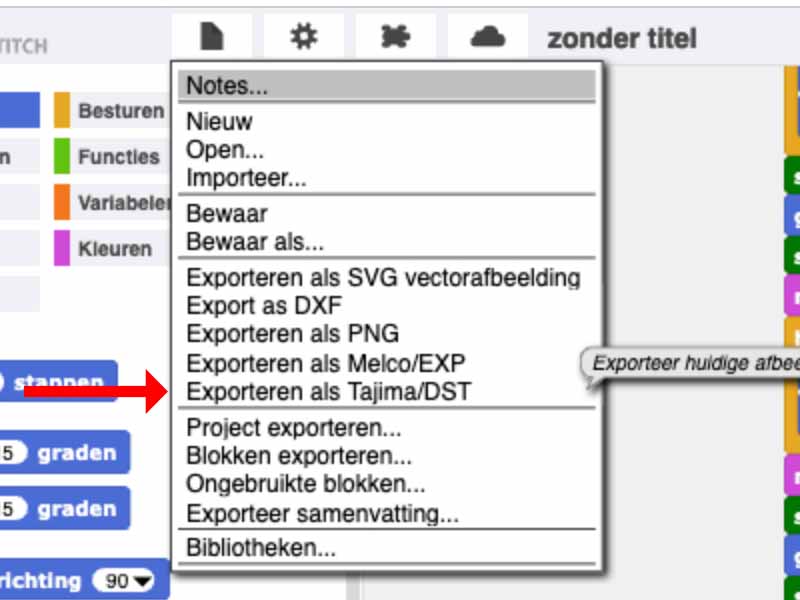
  • Once you’ve finished your mandala, click on the ‘File’ icon and then select ‘Export as Tajima/DST’.
  • Save your code to a USB stick that can be inserted into the embroidery machine.
11

Embroidery

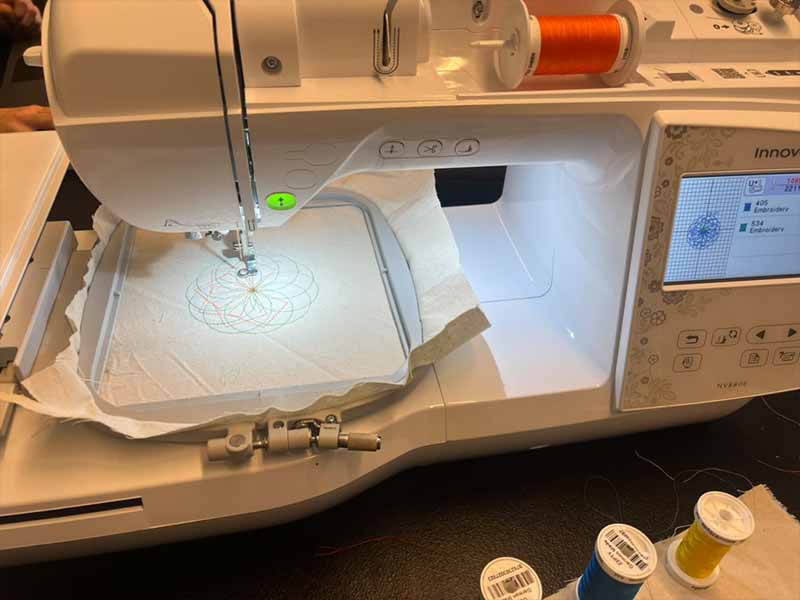
  • Use the embroidery machine to embroider your design.